
KLEAR
Network Monitoring Portal for Enterprises Across Kansas, Missouri, and Oklahoma
Klear is KFN’s customer network monitoring portal. Log in to see every circuit on your account, how many have an active alert, and how much bandwidth each one is using. Klear comes with KFN service and is available to single-site and multi-location businesses across Kansas, Missouri, and Oklahoma.


ABOUT THE PORTAL
What Is a Network Monitoring Portal?
A network monitoring portal is a web-based tool a connectivity provider gives its customers to view the status of their own circuits. It shows how many circuits are in service, which ones have an active alert, how much bandwidth each circuit is using, and when maintenance is scheduled. Access runs through a browser, with no software to install on the customer side.
Without a portal, a customer learns about a problem the same way everyone else does. Someone reports that an application is slow. The IT team checks its own equipment, finds nothing, and calls the provider. A ticket opens. The customer waits for someone else to look at a circuit they pay for but cannot see. Every question about capacity, utilization, or scheduled maintenance runs through the same queue.
Klear changes where that visibility sits. KFN customers log in and see their circuit detail at a glance, current usage levels, and any known issues or maintenance in progress. The first level of troubleshooting moves into the customer’s hands. A slow application becomes a question the customer can answer before picking up the phone, and the calls that do happen start further along.
That view covers whatever KFN delivers for you. An Ethernet circuit between two of your sites sits in the same list as your Dedicated Internet Access (DIA) circuit and the Cloud Connectivity path carrying traffic to AWS, Azure, or Google Cloud. You do not check one place for one service and another place for the next.
INSIDE THE PORTAL
What Do You See When You Log In to Klear?
Klear opens on a high-level overview of your circuits. The dashboard shows the total number of circuits on your account, how many have an active alert right now, current utilization by circuit, and any known issues or scheduled maintenance. Customers with circuits at more than one location see all of them under a single login.
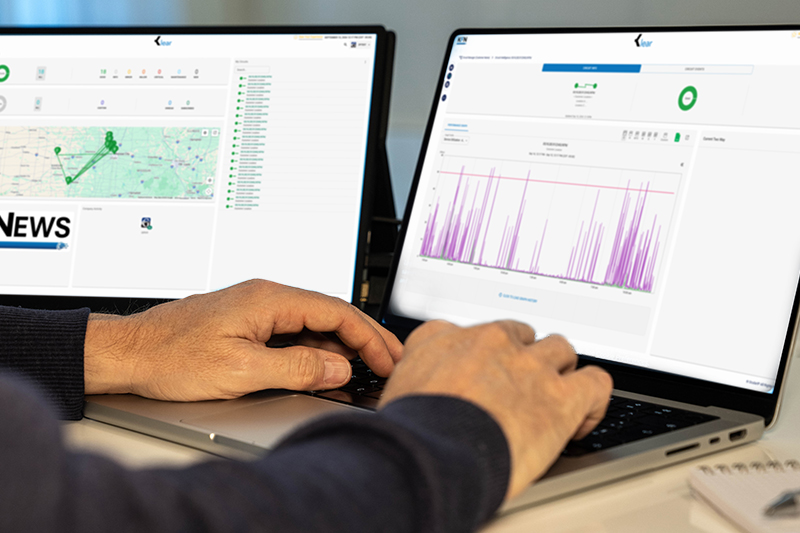
| What You See | What It Tells You |
|---|---|
| Circuit inventory | Every KFN circuit on your account in one view, so you know what you have and where without maintaining a spreadsheet |
| Active alert count | How many circuits have an alert right now, so you see trouble before a user reports it |
| Utilization levels | Bandwidth in use by circuit, so you know which locations are running near capacity |
| Known issues and maintenance | Current incidents and scheduled maintenance windows, so you can tell a KFN event from a problem inside your own network |
| Custom alert thresholds | Thresholds and notification recipients you set yourself, so the right warning reaches the right person |
Klear is web-based. It runs in any browser with nothing to install and no app to download.

KFN KLEAR PORTAL
How Does KFN Deliver Klear?
KFN provides Klear, a web-based network monitoring portal, to customers across its owned regional fiber network in Kansas, Missouri, and Oklahoma. Klear comes with KFN service. It turns up in parallel with the circuits it monitors, so visibility starts the day service goes live. Customers with circuits at multiple locations see all of them under one login.
Klear Includes
- Web-based access from any browser, with no software to install
- Every KFN circuit on the account visible under a single login
- A running count of circuits with an active alert
- Bandwidth utilization by circuit
- Known issues and scheduled maintenance windows
- Alert thresholds and notification recipients the customer sets
- Available to all KFN customers, single-site and multi-location
- Turns up in parallel with the circuits it monitors
- Backed by 24/7 Technical Support from KFN’s Kansas-based engineering team
Every KFN service you buy arrives with its own Klear visibility. Add Ethernet for a new branch and that circuit appears in your dashboard the day it turns up. The same goes for Dedicated Internet Access (DIA), Cloud Connectivity , and Wavelength, where a single high-capacity circuit makes utilization worth watching closely.
COMMON USES
Three Ways KFN Customers Use Klear
Klear comes with every KFN account, and customers put it to work in three common ways. Each one uses the same portal and the same circuit data, with a different question in mind.
Use 1
Multi-Location Visibility Under One Login
For enterprises with circuits at more than one site. Every location appears in a single Klear view instead of a separate report per site. The IT or network team sees which locations are healthy, which have an active alert, and how much bandwidth each one is using, without logging in anywhere else or waiting on a monthly summary. Multi-location connectivity is the core of what KFN builds for its enterprise customers.
Use 2
Utilization Tracking for Regulated and Budget-Driven Buyers
For banks, health systems, school districts, and government agencies that have to show their networks are sized, monitored, and planned. Klear gives a view of current bandwidth utilization by circuit, so capacity conversations start from the organization’s own numbers rather than a vendor’s assurance. Banking, healthcare, education, and government buyers each carry a different reporting obligation, and KFN builds to those obligations.
Use 3
First-Level Troubleshooting Before a Support Call
For teams that want an answer before they open a ticket. When an application slows down, Klear shows whether the circuit carrying it has an active alert or a maintenance window in progress. That turns a support call into a faster conversation, or removes the need for one. When a call is warranted, KFN’s Kansas-based engineering team provides 24/7 Technical Support.
Ready to See Your Whole Network in One Place?
Klear comes with KFN service. Talk to KFN's sales engineering team about connectivity for your locations, and Klear turns up alongside your circuits. Here is what happens when you reach out.
Tell us your locations and what you need to connect
KFN's engineering team confirms route availability and scopes the service
Your circuits and your Klear access turn up together
FAQ